Wanderer Female User Guide
Modular & Customizable Game-Ready Asset
Quick start
- Open the project. It starts in Maps/WandererFemalePreviewMap, with every version side by side.
- To play, open Demo/Maps/Map_WandererFemaleDemo and press Play. Move with WASD, look with the mouse, jump with Space.
What is where
Everything lives in one folder, WandererFemaleCharacter.
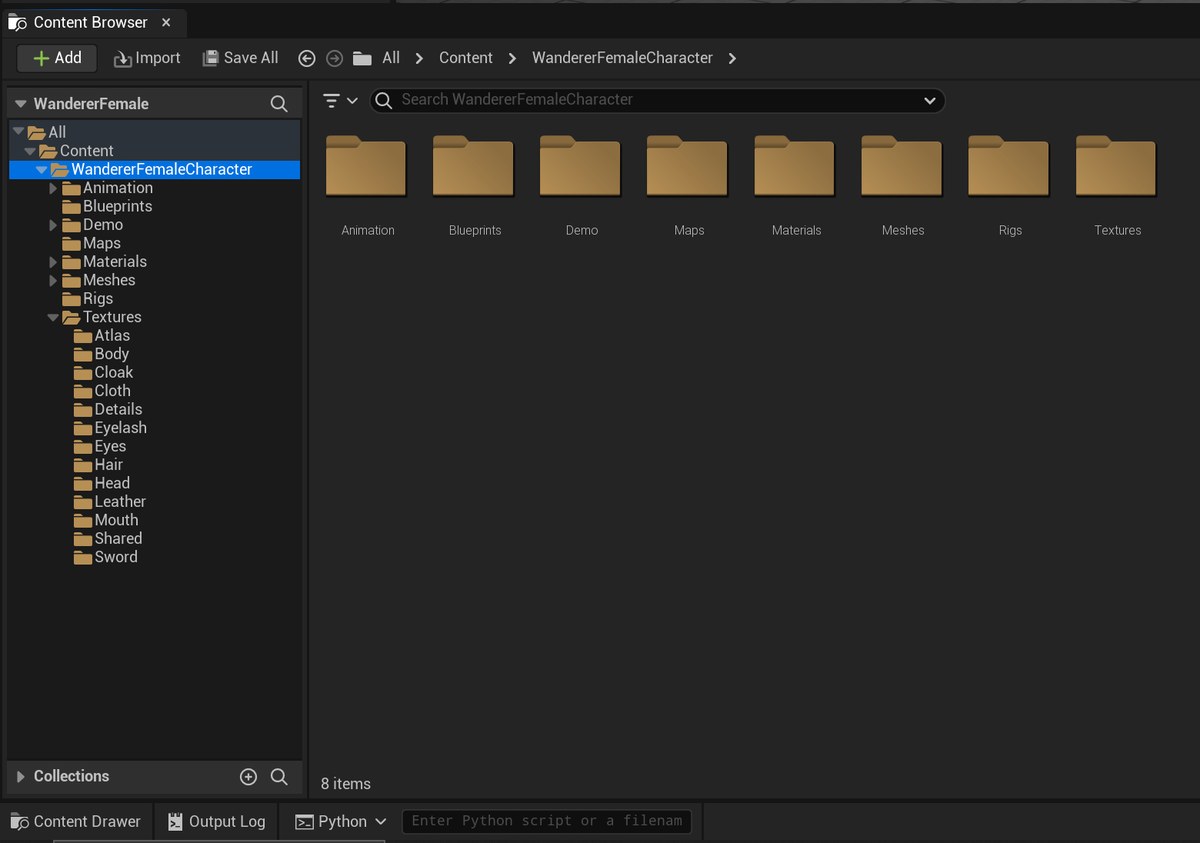
| Folder | What's inside |
|---|---|
| Blueprints | The playable character and the preview actors you can drop in a level. |
| Meshes | The one-piece and atlas meshes, the main mesh, the sword and the skeleton. |
| Meshes/Modulars | Every separate part (head, top, skirt, boots, cloak…) with its physics asset. |
| Materials/Master | The master materials. You don't need to open these. |
| Materials/Instances | The instances on the character. This is where you change colours. |
| Textures | Textures, one folder per material (Atlas, Body, Cloth, Hair…), plus Details for pores, sweat and blood. |
| Animation | The Animation Blueprints, walk/run/jump animations and 6 poses. |
| Rigs | Control Rigs, IK Rig and Retargeter for using other UE5 animations. |
| Maps | The preview map and a render map. |
| Demo | The playable demo map and Epic's Third Person template files it uses. |
Ready characters
| Blueprint | Type | Use it for |
|---|---|---|
| BP_WandererFemaleCharacter | Character | The playable modular character in outfit 1, with the cape moved by bones. Swap or remove any part. |
| Demo/…/BP_ThirdPersonCharacter | Character | The same character with a simulated cloth cape (Chaos Cloth). Used in the demo map. |
| BP_WandererFemaleAtlasCharacter | Character | Playable, one mesh and one material (hair included), without the cape. The lightest version. |
| BP_WandererFemaleAtlasCloakCharacter | Character | As above, with the cape in the same mesh, still one material. |
| BP_WandererFemaleAtlasCloakSimCharacter | Character | The atlas character with a separate simulated cloth cape. |
| BP_WandererFemaleClothPreview …ClothPreviewV2 to V4 | Actor | For scenes and renders: outfits 1 to 4, with the cape. |
| BP_WandererFemaleClothNoCapePreview …ClothNoCapePreviewV2 to V4 | Actor | For scenes and renders: outfits 1 to 4, without the cape. |
| BP_WandererFemaleNakedPreview | Actor | For scenes and renders: the bare body (MI_Skin_Body_Naked on SKM_WandererFemale_FullBody). |
- Character: a playable pawn with a collision capsule, movement and controls. To play as one, drop it in your level and set Pawn › Auto Possess Player to Player 0 in Details, or make it the Default Pawn in your Game Mode.
- Actor: a character you place for scenes, renders and screenshots. It animates (idle and face) but can't be controlled and doesn't move by itself.
The 4 outfits
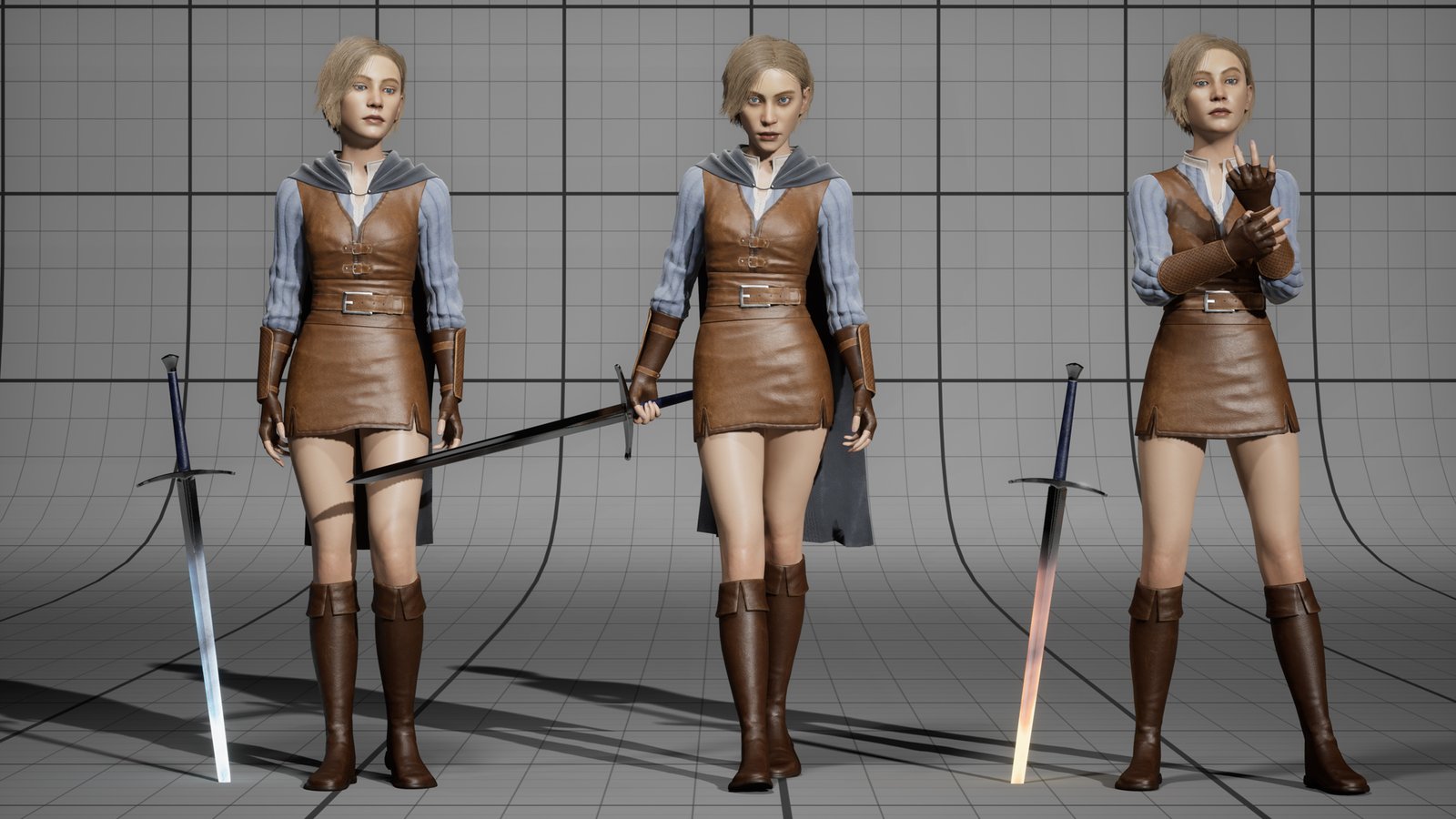
Every outfit has the skirt, gloves and boots. They differ in the top and the belt, and each can be worn with or without the cape.
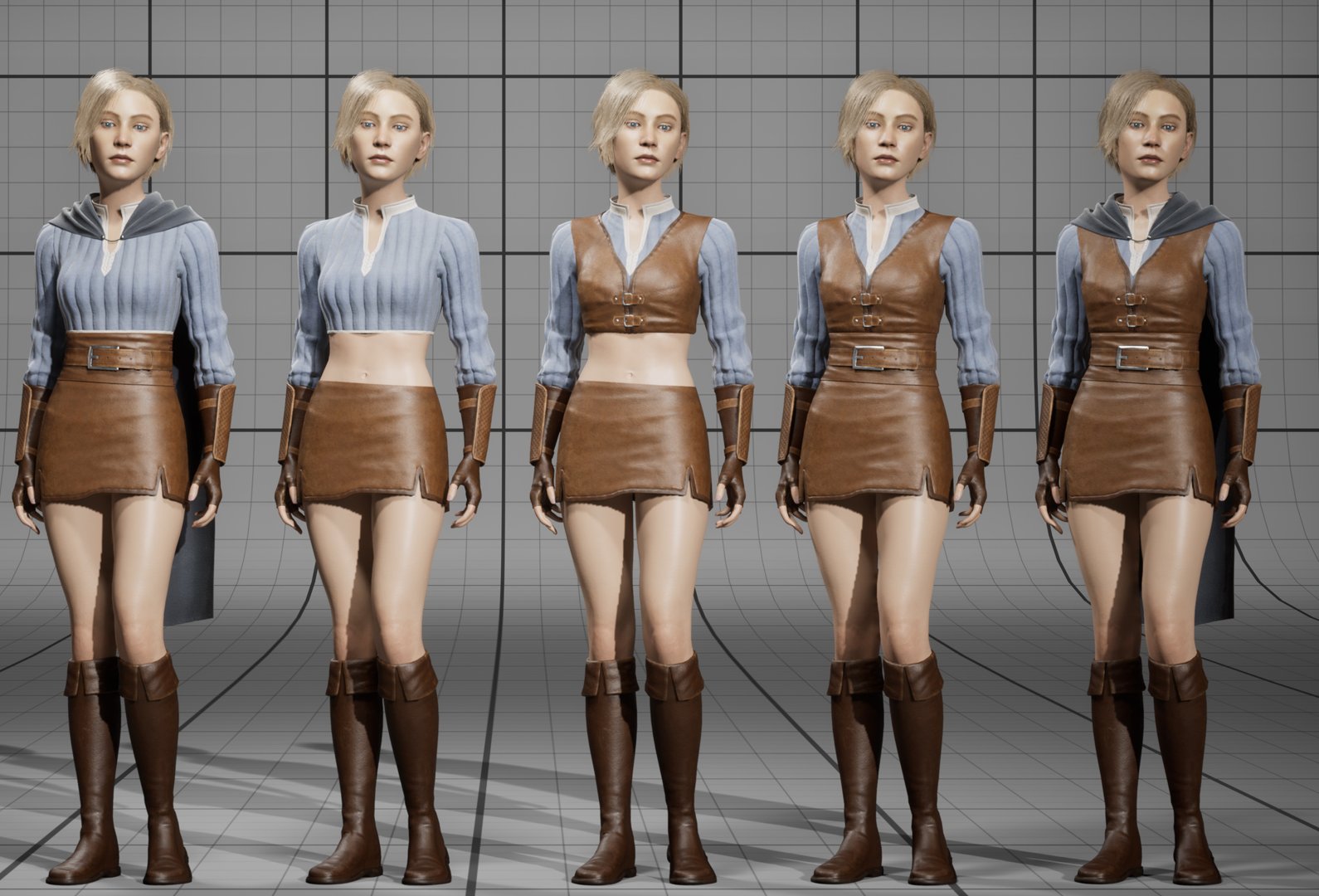
| Outfit | Top | Belt | One-piece mesh | Preview actor |
|---|---|---|---|---|
| 1 | Leather vest over the shirt (SK_WandererFemale_Top) | Yes | SKM_WandererFemale_FullCloth | BP_WandererFemaleClothPreview |
| 2 | Cropped shirt (SK_WandererFemale_ClothA) | Yes | …_FullClothV2 | …ClothPreviewV2 |
| 3 | Cropped shirt | No | …_FullClothV3 | …ClothPreviewV3 |
| 4 | Leather vest over the shirt | No | …_FullClothV4 | …ClothPreviewV4 |
With the cape, the one-piece meshes are SKM_WandererFemale_FullClothCloak and …FullClothCloakV2 to V4; the preview actors without the cape are the …ClothNoCapePreview ones.
How modular works
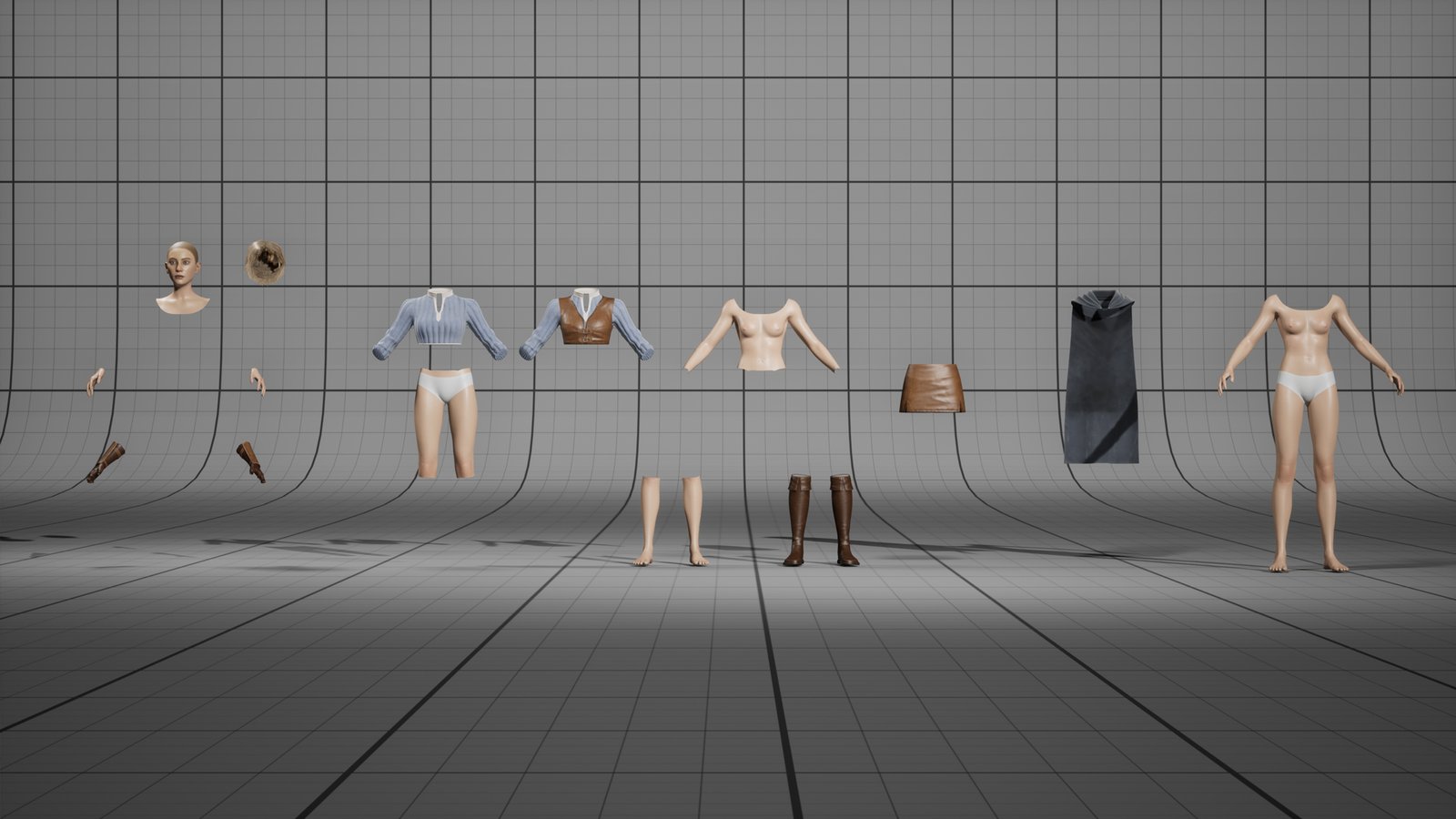
The modular character is several meshes that move as one. The head is the main mesh: it runs the animation. Every other part copies the head's pose, so all parts always move together.
Swap a part
- Open BP_WandererFemaleCharacter (or your copy of it).
- Select the part in the Components panel, for example SK_WandererFemale_Top.
- In Details, set Skeletal Mesh Asset to another mesh, for example SK_WandererFemale_ClothA for the cropped shirt.
Remove a part
Easiest: select it and clear Skeletal Mesh Asset (set it to None). If you delete the component instead, open the Construction Script and remove it from the Set Leader Pose Component node too, or the Blueprint won't compile.
Add a part
Add a Skeletal Mesh component under the head, pick the mesh, and connect it to the Set Leader Pose Component node in the Construction Script (Target pin).
The parts
| Part | Mesh |
|---|---|
| Head (main) | SK_WandererFemale_Head · face, eyes, mouth, lashes |
| Hair | SK_WandererFemale_HairCards |
| Clothes | SK_WandererFemale_Top (leather vest over the shirt) · SK_WandererFemale_ClothA (cropped shirt) |
| Leather | SK_WandererFemale_Skirt SK_WandererFemale_Belt SK_WandererFemale_Glove SK_WandererFemale_Boots |
| Hands | SK_WandererFemale_Hands |
| Cape | SK_WandererFemale_Cloak (moved by bones) · SK_WandererFemale_CloakSim (cloth simulation) |
| Bare body | SK_WandererFemale_BaseBody SK_WandererFemale_UpperBody SK_WandererFemale_LowerBody SK_WandererFemale_LowerLegs · skin pieces that fill in when you take clothes off. BP_WandererFemaleCharacter uses LowerBody (the boots cover the lower legs). |
Every part has its own physics asset (PA_) next to it, so traces and ragdolls work with any mix.
Adjusting materials
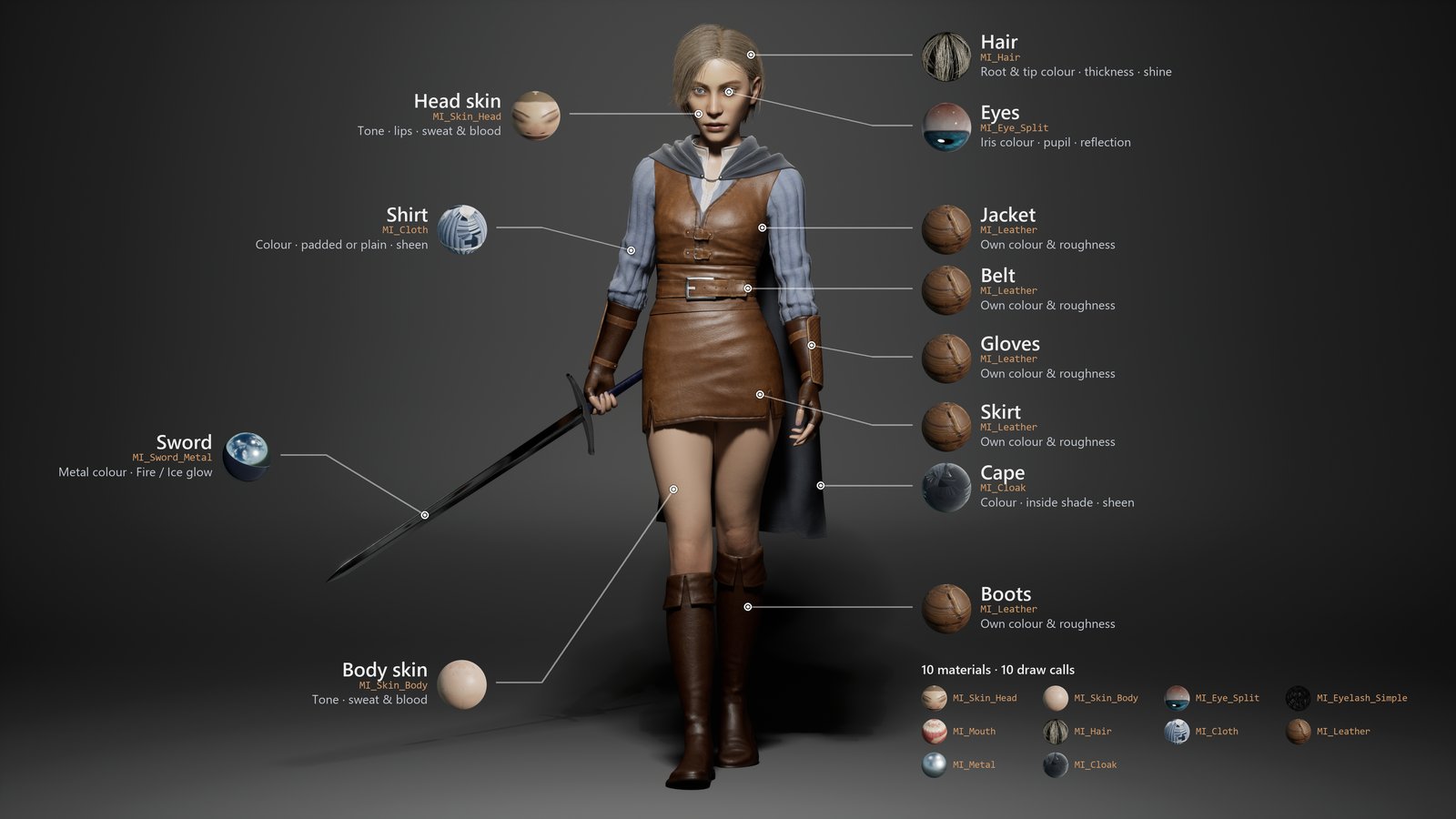
Each material has a master (the recipe) and instances (the settings). You only ever change instances.
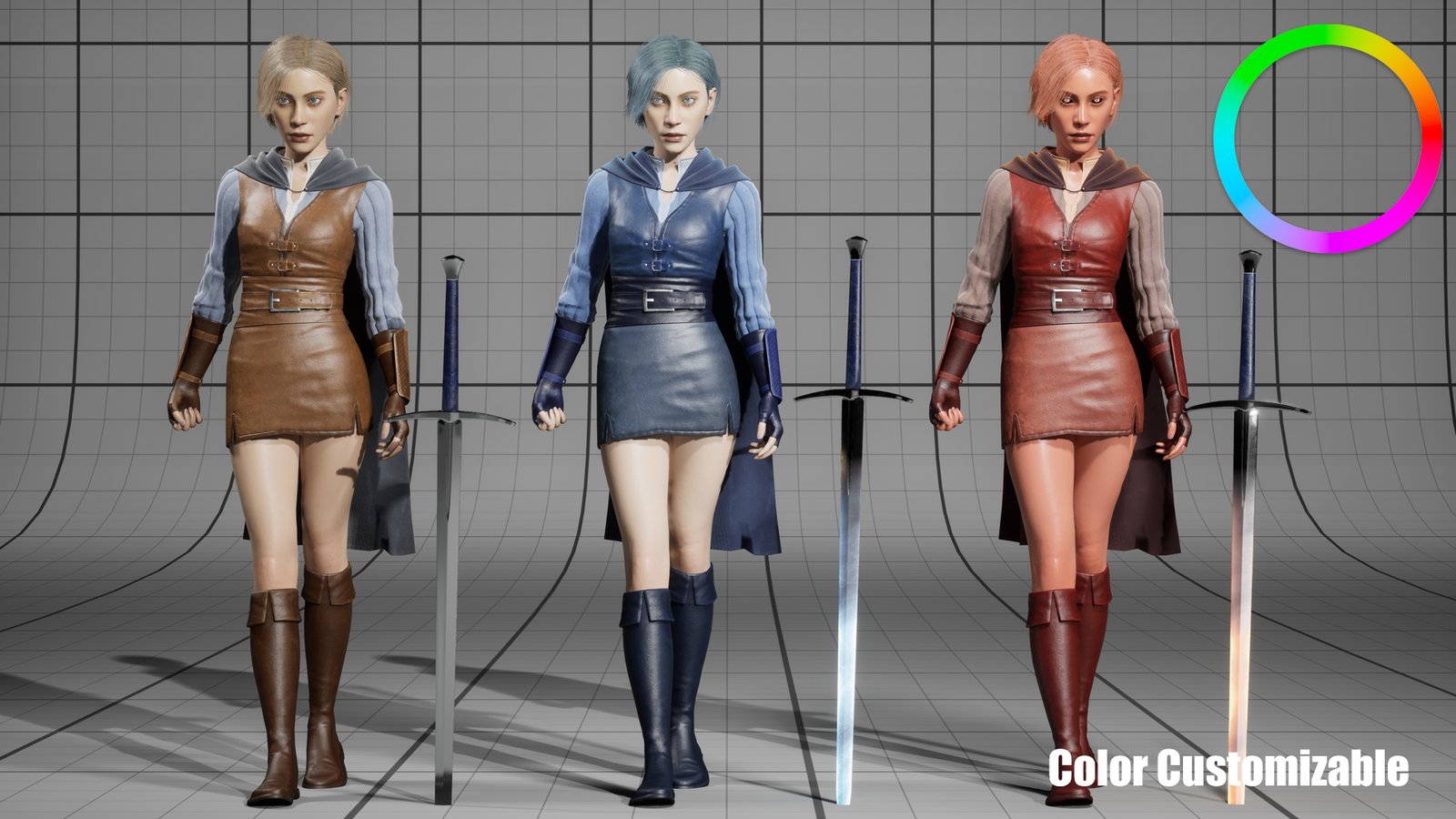
- Right-click an instance in Materials/Instances › Create Material Instance. Work on that copy, so the original stays as it is.
- Open it. Tick the box next to a setting to change it. Untick it to go back to the default.
- Put your instance on the mesh: select the mesh component, Details › Materials.
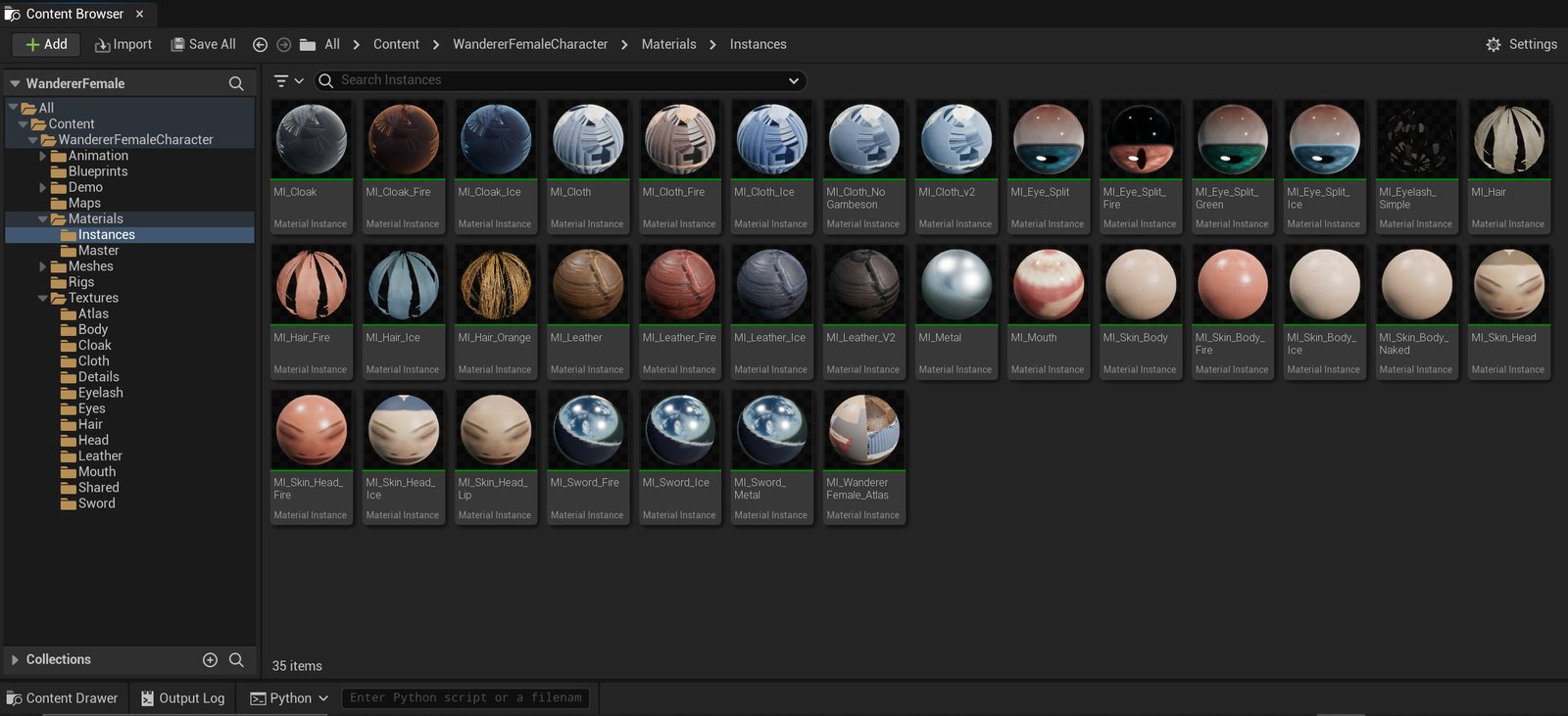
Settings named Use … turn a whole feature on or off (for example Use Blood). Changing one takes a moment while Unreal rebuilds the shader. ORM Is sRGB must match the texture: leave it alone.
The settings that belong to a switch only show up once it's ticked on. For example, tick Use Sweat and the sweat settings appear under it.
Skin · MI_Skin_Head, MI_Skin_Body
| To change | Use |
|---|---|
| Skin tone | Albedo Tint, Albedo Brightness, Saturation |
| Oily or matte | Roughness Brightness, Specular |
| Light through skin | Scatter |
| Pores up close | Use Pores, Pore Strength, Pore Tiling |
| Soft peach fuzz | Fuzz, Fuzz Color |
| Sweat | Use Sweat, Sweat Amount, Droplet Amount · runs down the skin: Use Sweat Drips, Sweat Drip Reach |
| Blood | Use Blood, Blood Amount, Blood Color, Blood Dryness · drips: Use Blood Drips, Blood Drip Amount / Size / Reach |
| Lip colour (head only) | Use Lip Mask (on), then Lip Tint, Lip Brightness, Lip Roughness, Lip Roughness Amount |
| Skin under the hair (head only) | Use Scalp Mask (on), Scalp Color, Scalp Amount, Scalp Roughness. A darker scalp keeps the hair looking full from afar. |
MI_Skin_Body has the underwear painted on; every mesh uses it as it ships. MI_Skin_Body_Naked is the same body without it (used by BP_WandererFemaleNakedPreview).
See the panels in Unreal
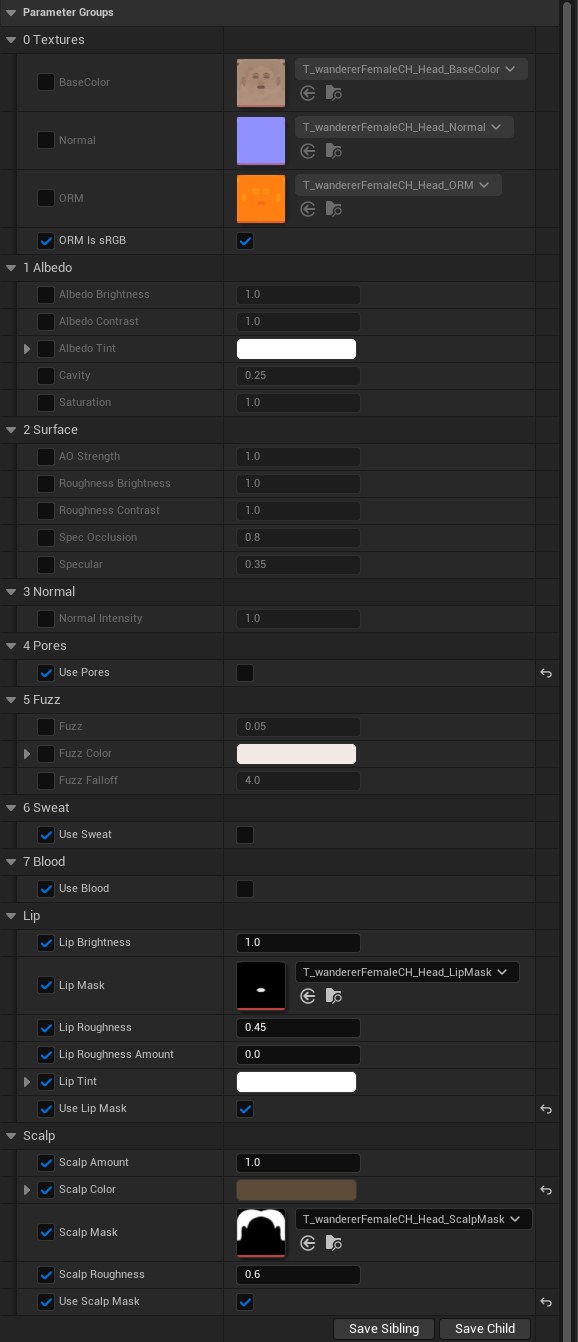
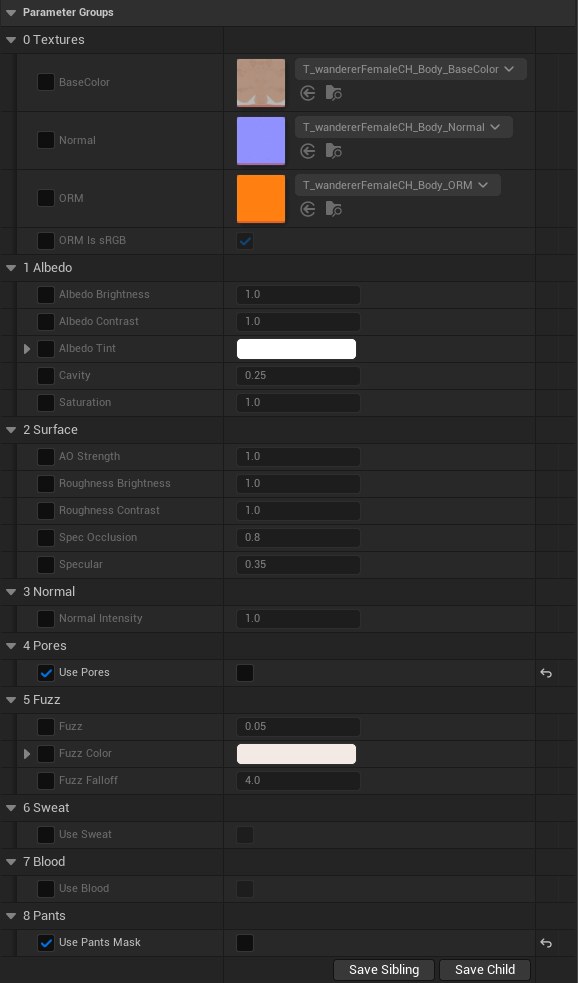
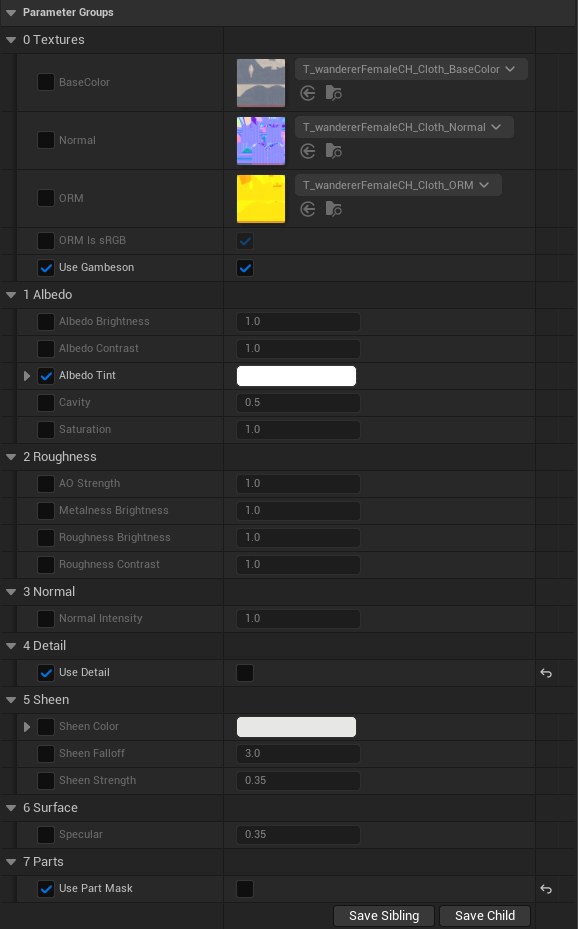
Cloth · MI_Cloth, MI_Cloth_NoGambeson
| To change | Use |
|---|---|
| Colour | Albedo Tint, Albedo Brightness, Saturation |
| Padded or plain shirt | MI_Cloth is padded. For a plain shirt use MI_Cloth_NoGambeson: it has its own textures, so switching off Use Gambeson alone isn't enough. |
| Soft fabric shine | Sheen Strength, Sheen Color |
| Weave close up | Use Detail, Detail Strength, Detail Tiling |
See the panel in Unreal
Leather · MI_Leather
Each leather piece has its own colour, roughness and normal strength: Jacket (the vest), JacketBelt (the vest's straps), Belt, Skirt, Boots and Glove. For example, Skirt Color and Skirt Roughness. Use Part Mask must be on (it is, on every leather instance). Albedo Tint, Saturation and Albedo Brightness change all the pieces at once.
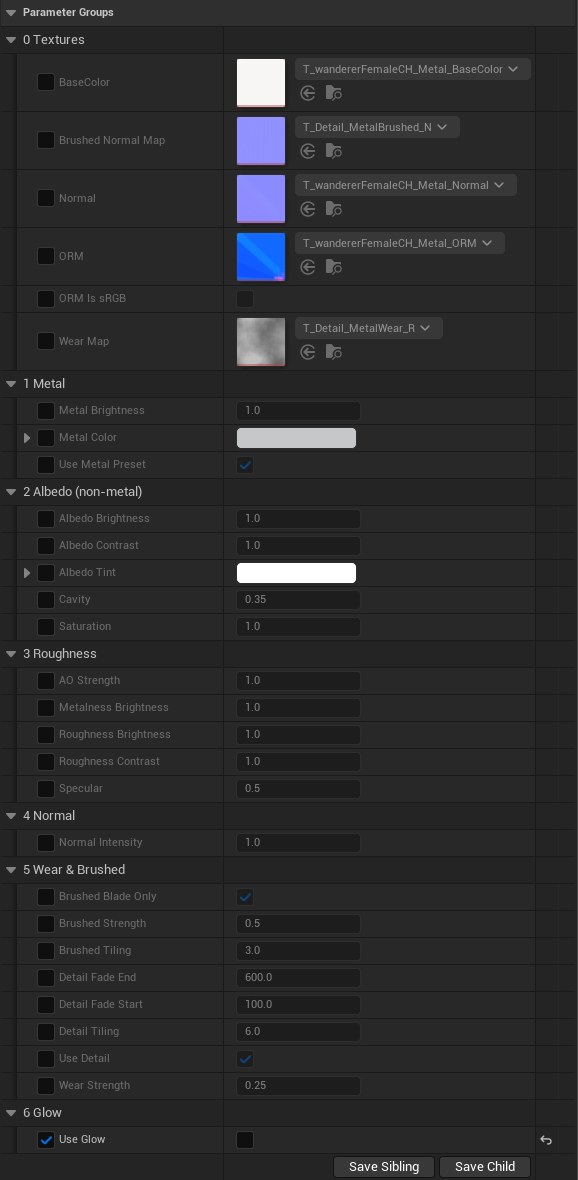
Buckles · MI_Metal
The buckles and metal rings on the vest, belt and gloves: Metal Color, Roughness Brightness, and Use Detail for wear.
See the panel in Unreal
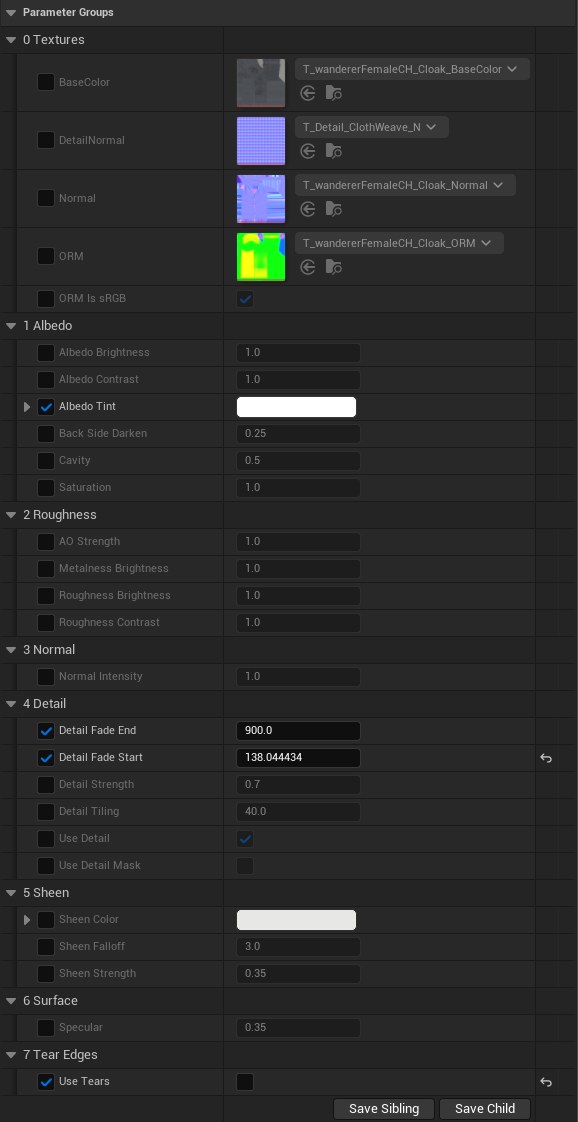
Cape · MI_Cloak
| To change | Use |
|---|---|
| Colour | Albedo Tint, Saturation, Albedo Brightness |
| Darker inside | Back Side Darken |
| Soft fabric shine | Sheen Strength, Sheen Color |
See the panel in Unreal
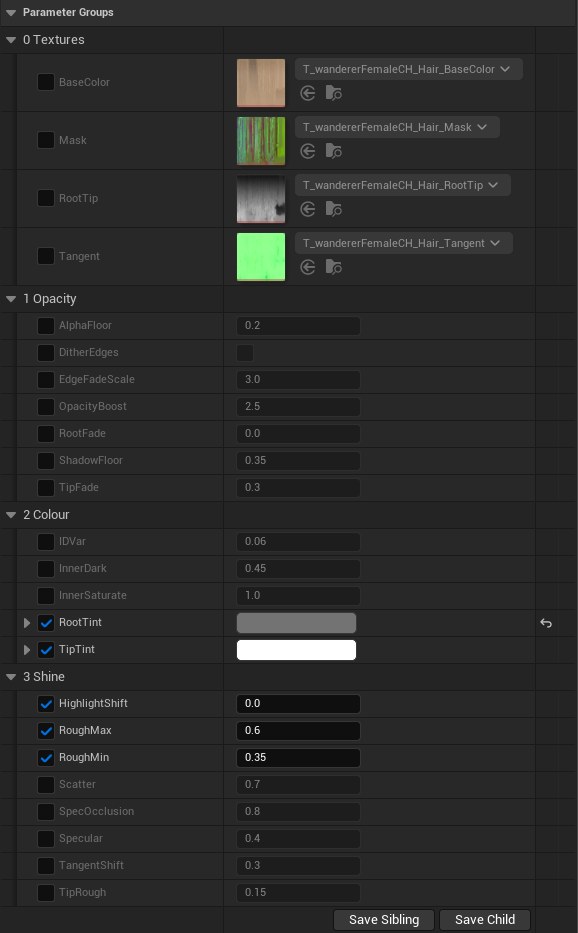
Hair · MI_Hair
| To change | Use |
|---|---|
| Hair colour | RootTint, TipTint · or start from MI_Hair_Orange |
| Thicker or thinner | OpacityBoost (thickness), TipFade (soft ends) |
| Shine | Specular, RoughMin / RoughMax, HighlightShift |
| Shadow from the hair | ShadowFloor (higher = lighter shadow) |
| Depth between strands | InnerDark |
See the panel in Unreal
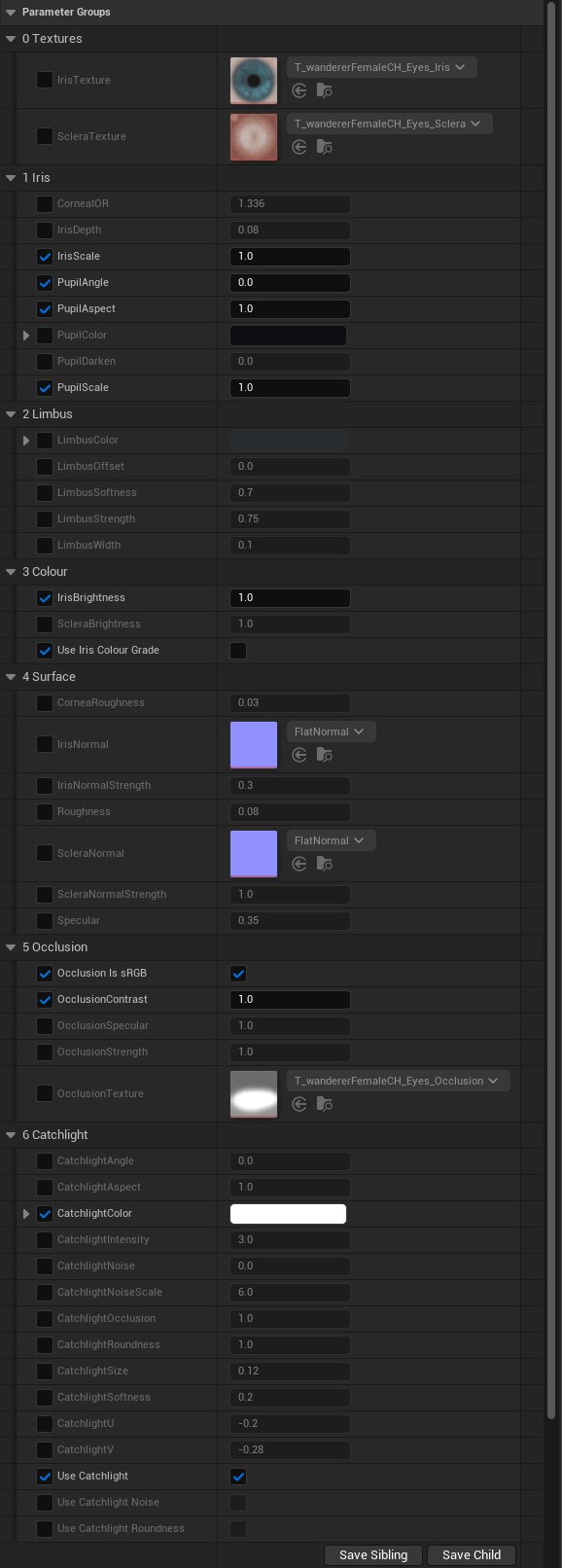
Eyes · MI_Eye_Split
| To change | Use |
|---|---|
| Eye colour | Use Iris Colour Grade, then IrisHue, IrisSaturation, IrisBrightness · or IrisColorize with IrisColorizeColor · or start from MI_Eye_Split_Green |
| Pupil | PupilScale, PupilColor |
| Dark ring around the iris | LimbusStrength, LimbusWidth |
| Light reflection | Use Catchlight, CatchlightIntensity, CatchlightSize |
See the panel in Unreal
Mouth, lashes, sword
- MI_Mouth: Tint, Brightness, Roughness.
- MI_Eyelash_Simple: LashColor, OpacityBoost (thickness), Cast Shadows.
- MI_Sword_Metal: Metal Color, Use Detail for scratches. Use Glow with Glow Low / Mid / High colours for hot or magic metal.
See the panels in Unreal
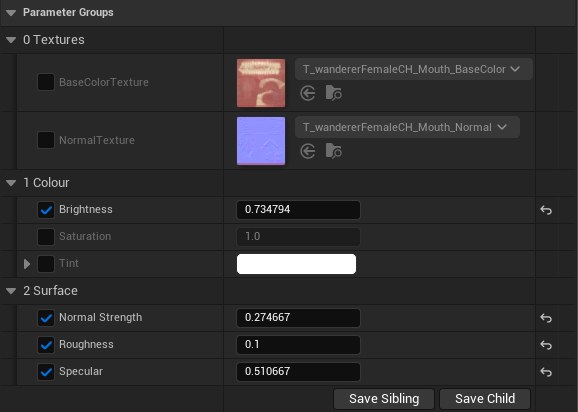
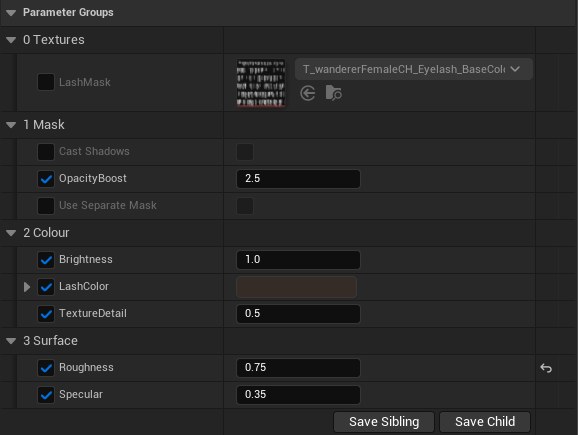
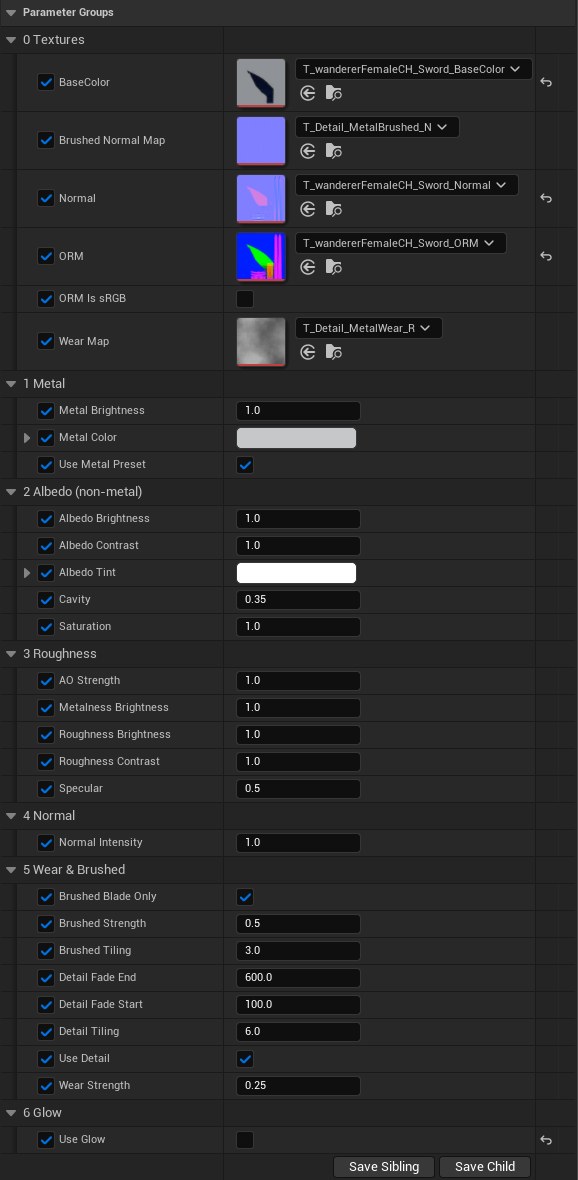
Atlas versions · MI_WandererFemale_Atlas
One simple material for the whole atlas character: Color Tint, Hue, Saturation, Lightness, Roughness.
More instances to start from
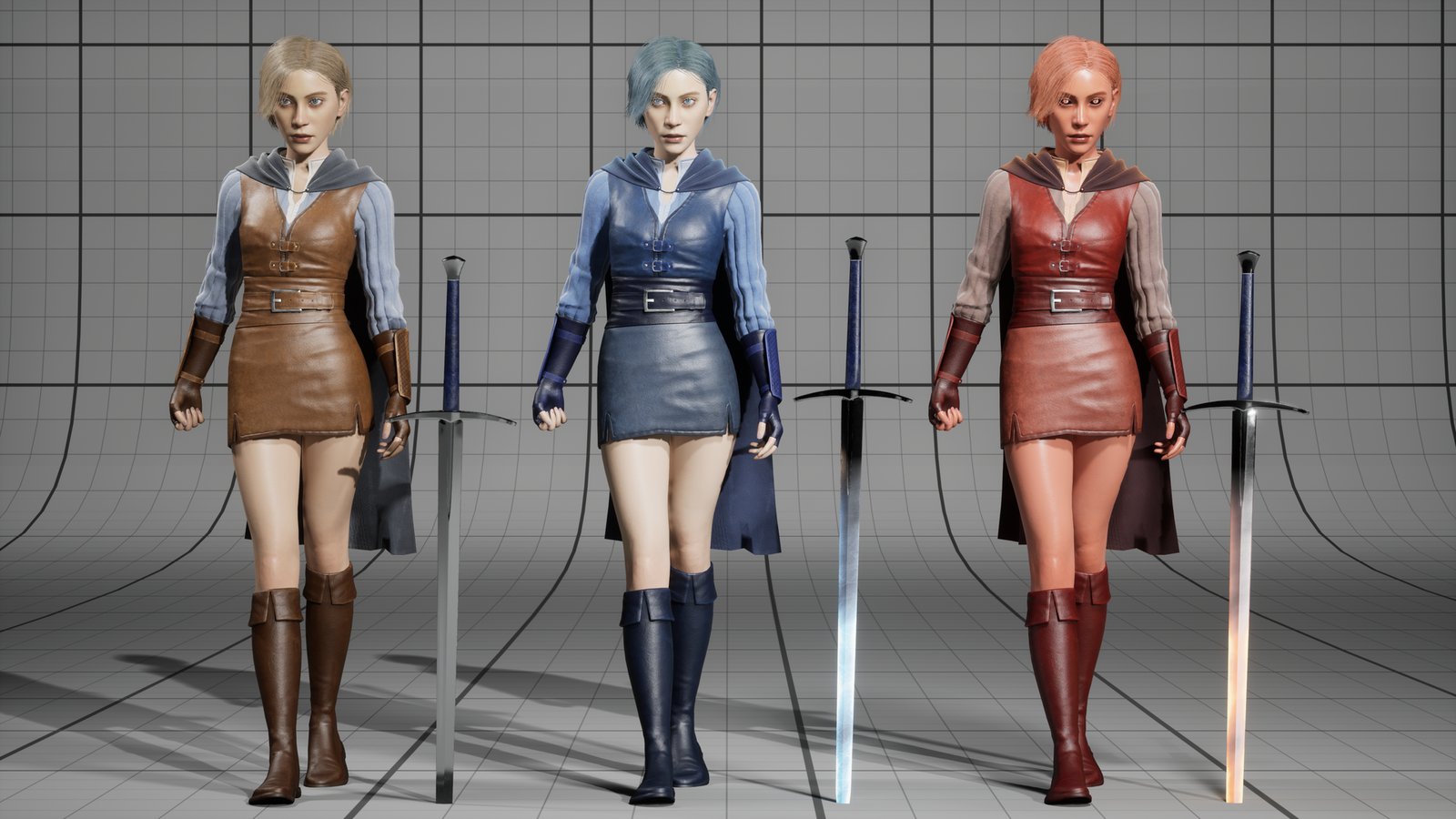
Variations next to the main instances, used in Maps/WandererFemaleRender. Put one on the matching slot, or copy it as a starting point.
| Instance | What it changes |
|---|---|
| MI_Hair_Orange | Orange hair (RootTint, TipTint) |
| MI_Eye_Split_Green | Green eyes (IrisTint) |
| MI_Skin_Head_Lip | Pink-tinted lips (Lip Tint), without the darker scalp |
| MI_Cloth_v2 | A lighter shirt (Albedo Brightness) |
| MI_Leather_V2 | Blue-grey leather (Albedo Tint, Saturation) |
| MI_Cloth_NoGambeson | The shirt without the padded gambeson layer |
| MI_Skin_Body_Naked | The body without the painted underwear |
Fire & Ice looks
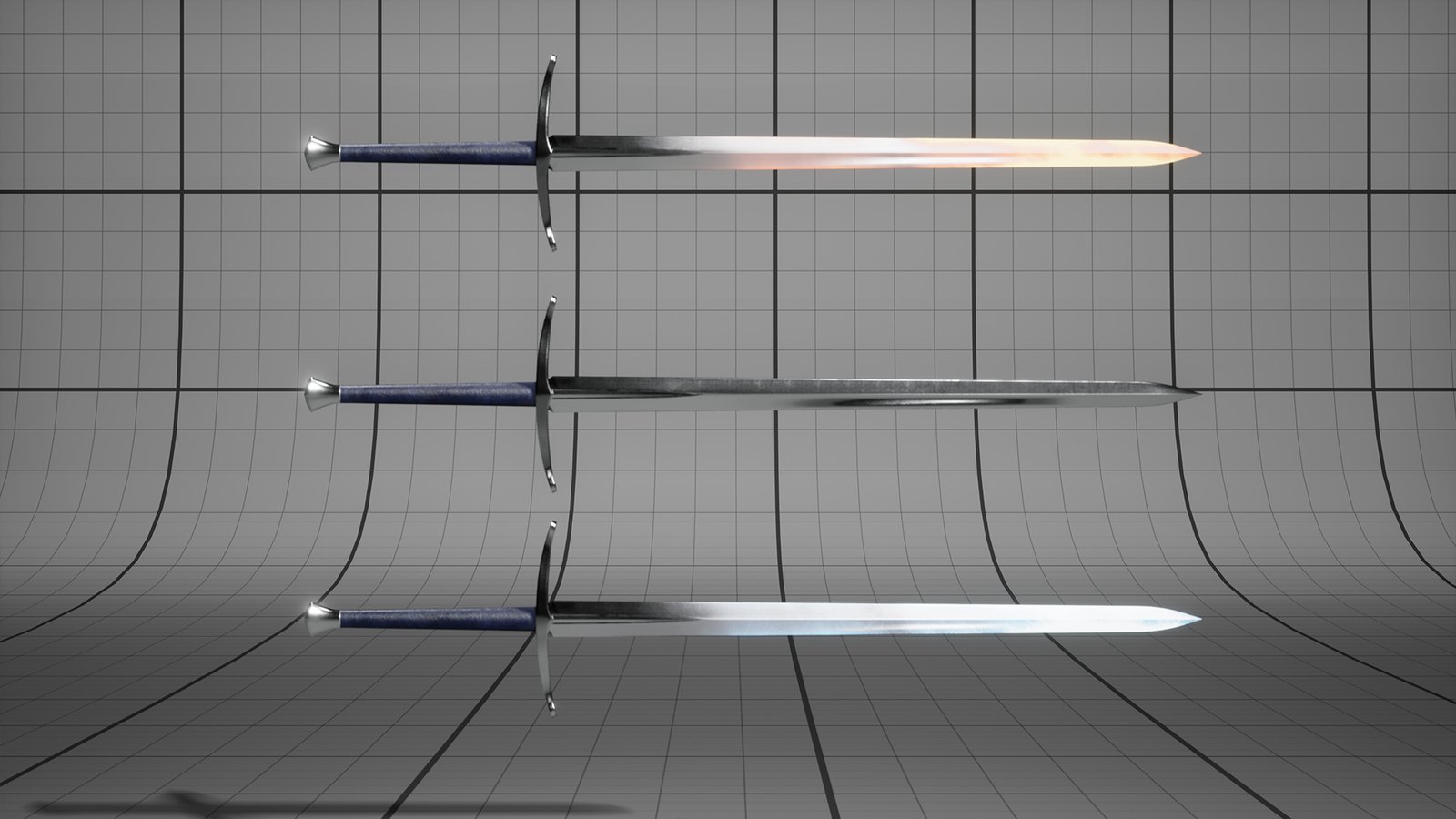
Two ready-made looks, each a full set of instances ending in _Fire or _Ice: skin, eyes, hair, cloth, leather, cape and sword. To use one, put each part's matching instance on it (for example MI_Cloak_Ice on the cape). WandererFemalePreviewMap shows both. Use them as starting points for your own looks.
Animation & face
Body
- ABP_WandererFemale runs the character: idle, walk, run, jump and land, with feet that stay on the ground (foot IK).
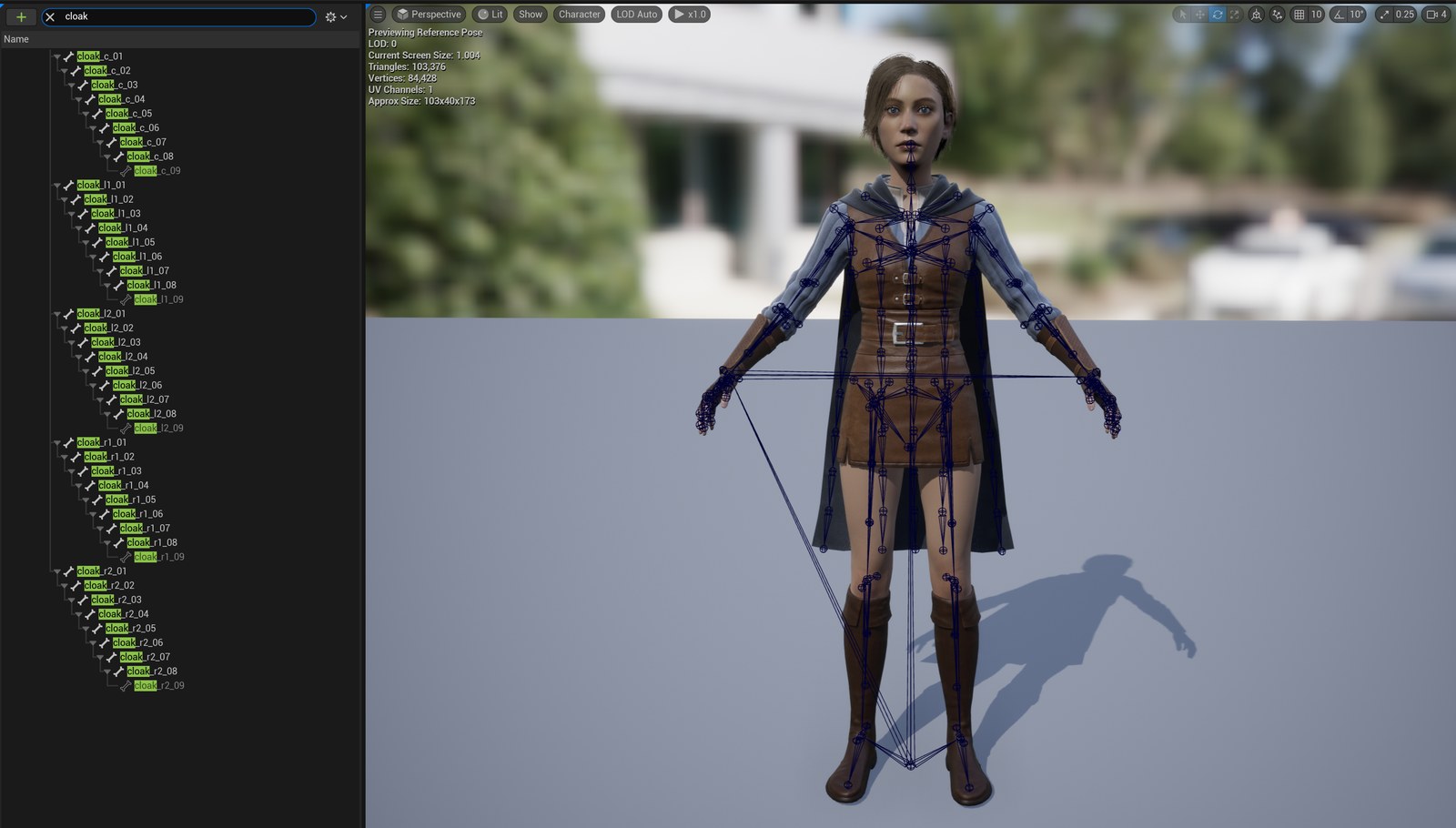
- The skeleton is the UE5 Mannequin skeleton with extra cloak bones. To use any UE5 Mannequin animation, retarget it with Rigs/RTG_WandererFemale (right-click the animation › Retarget Animations).
- Six still poses: A_WandererFemale_Pose01–06, for screenshots and scenes.
- Pose and animate her in Sequencer with Rigs/CR_WandererFemale_Body.
Shoulder correctives
Her body moves extra helper bones at the shoulders, armpits and arms, so they keep their shape when she raises or swings her arms. Rigs/CR_WandererFemale_Procedural moves them. It runs as the Post Process Anim Blueprint (ABP_WandererFemaleCloak_PostProcess) of the head and of every one-piece mesh; the other parts follow the head.
- If you replace a mesh's Post Process Anim Blueprint, the correctives stop on it.
- For plain UE5 Mannequin shoulders, pick CR_WandererFemale_Procedural_BeforeHelpers in that Post Process Anim Blueprint instead. It's lighter: see Which version to use.
Cape
- SK_WandererFemale_Cloak is moved by its bones (ABP_WandererFemaleCloak): cheap and stable.
- SK_WandererFemale_CloakSim uses cloth simulation: more natural, costs more.
Face
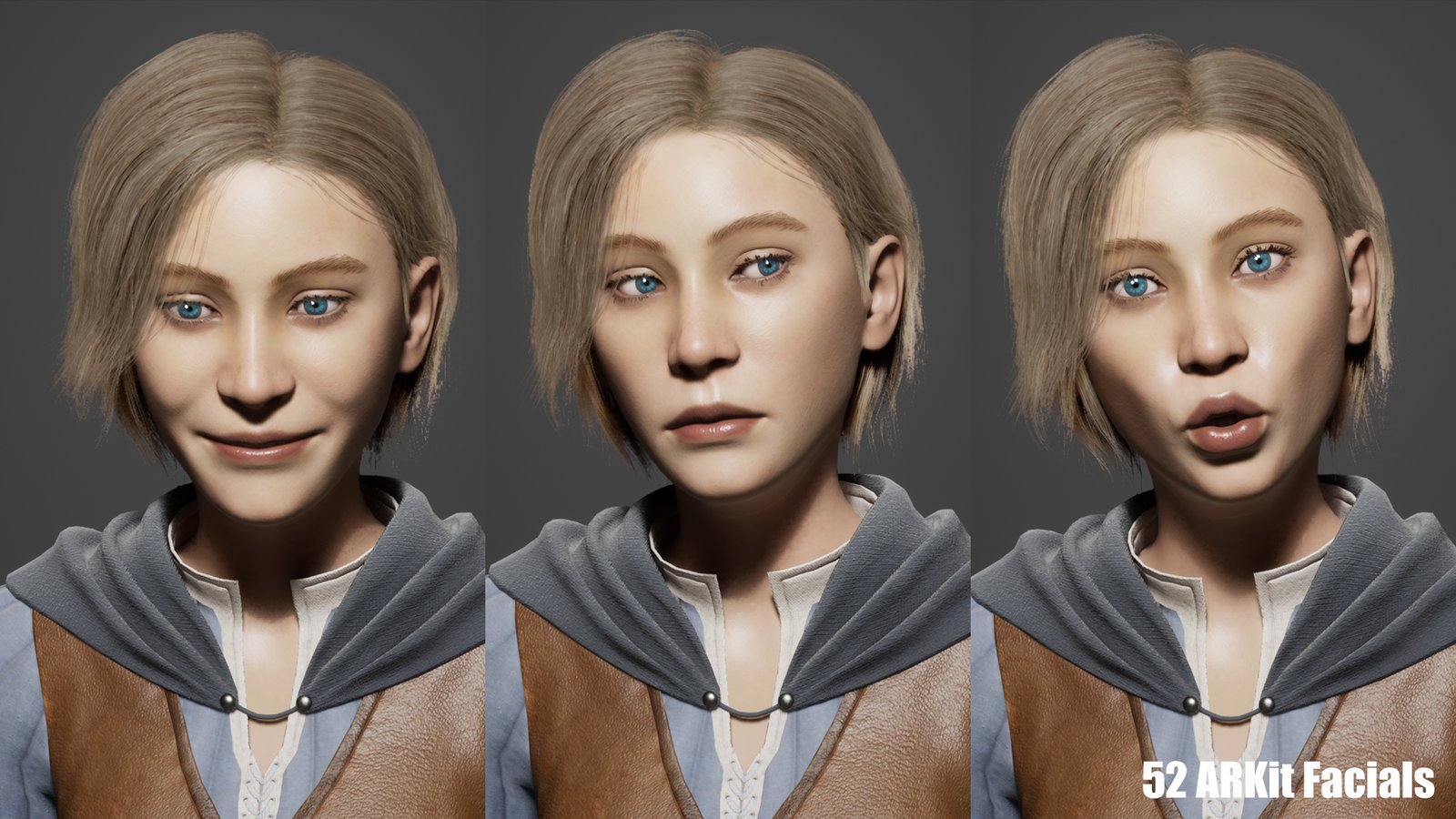
The head (and every one-piece mesh) has the 52 Apple ARKit blend shapes, so it can be driven live from an iPhone with the Live Link Face app:
- Install Live Link Face on an iPhone with Face ID and point it at your PC's IP address.
- In Unreal, open Window › Live Link and check that the phone shows up.
- Play or simulate: ABP_WandererFemale drives the face.
The Blueprint listens to the Live Link subject iPhone. In the Live Link Face app's settings, set Subject Name to iPhone. Or keep your phone's name and type it into Subject on the Live Link Pose node (AnimGraph) and on the Evaluate Live Link Frame node (Event Graph) of ABP_WandererFemale.
Head turn from the phone
With Stream Head Rotation on in the Live Link Face app, the phone also turns the head. The rotation is split between two bones, neck_01 and head, so the turn looks natural. It runs on the Character Blueprints.
| Phone movement | Variable | Limit | Neck × | Head × | Max turn |
|---|---|---|---|---|---|
| Turn left / right | Head Yaw | ±60° | 0.2 | 0.3 | 30° |
| Nod up / down | Head Pitch | ±40° | −0.2 | −0.3 | 20° |
| Tilt side to side | Head Roll | ±30° | 0.2 | 0.3 | 15° |
Max turn = limit × (neck + head). The limits are the Clamp nodes in the Event Graph; the multipliers are the small number boxes on the two Transform (Modify) Bone nodes in the AnimGraph.
| To make the head turn… | Change this in ABP_WandererFemale |
|---|---|
| More or less (follows your head more or less closely) | AnimGraph: raise or lower the multipliers, e.g. head 0.3 → 0.5 for more. Keep the neck smaller than the head. |
| Farther (bigger maximum angle) | Event Graph: widen the Clamp nodes (e.g. yaw ±60 → ±80), and raise the multipliers if you want the extra range to show. |
| Smoother / slower | Event Graph: put an FInterp To before each Set Head… node (Current = the variable, Target = the clamped value, Delta Time = the event's Delta Time X, Interp Speed ≈ 8). Lower speed = slower and smoother. |
| Faster / snappier | It already follows the phone instantly. If you added FInterp To, raise its Interp Speed. |
| The wrong way (e.g. nods down when you nod up) | AnimGraph: flip the sign of that axis's two multipliers (−0.3 ↔ 0.3). |
| Not at all (face only) | AnimGraph: set Alpha to 0 on both Transform (Modify) Bone nodes. Or just turn off Stream Head Rotation in the app. |
Compile and save the ABP after each change. To get the head turn on the preview Actors too, open the Event Graph and connect the Character node's Is Not Valid pin to Evaluate Live Link Frame.
Which version to use
| Version | Good for | Triangles | Draw calls |
|---|---|---|---|
| Modular | Customising: swap, hide or recolour parts. BP_WandererFemaleCharacter as it ships: head 4, top 3, belt 2, gloves 2, every other part 1. | 99,268 | 17 16 without the cape |
| One-piece | SKM_WandererFemale_FullBody / FullCloth (V2–V4) / FullClothCloak (V2–V4): the same look in one mesh. Same materials. | 84,846 99,536 103,376 | 6 / 9 / 10 |
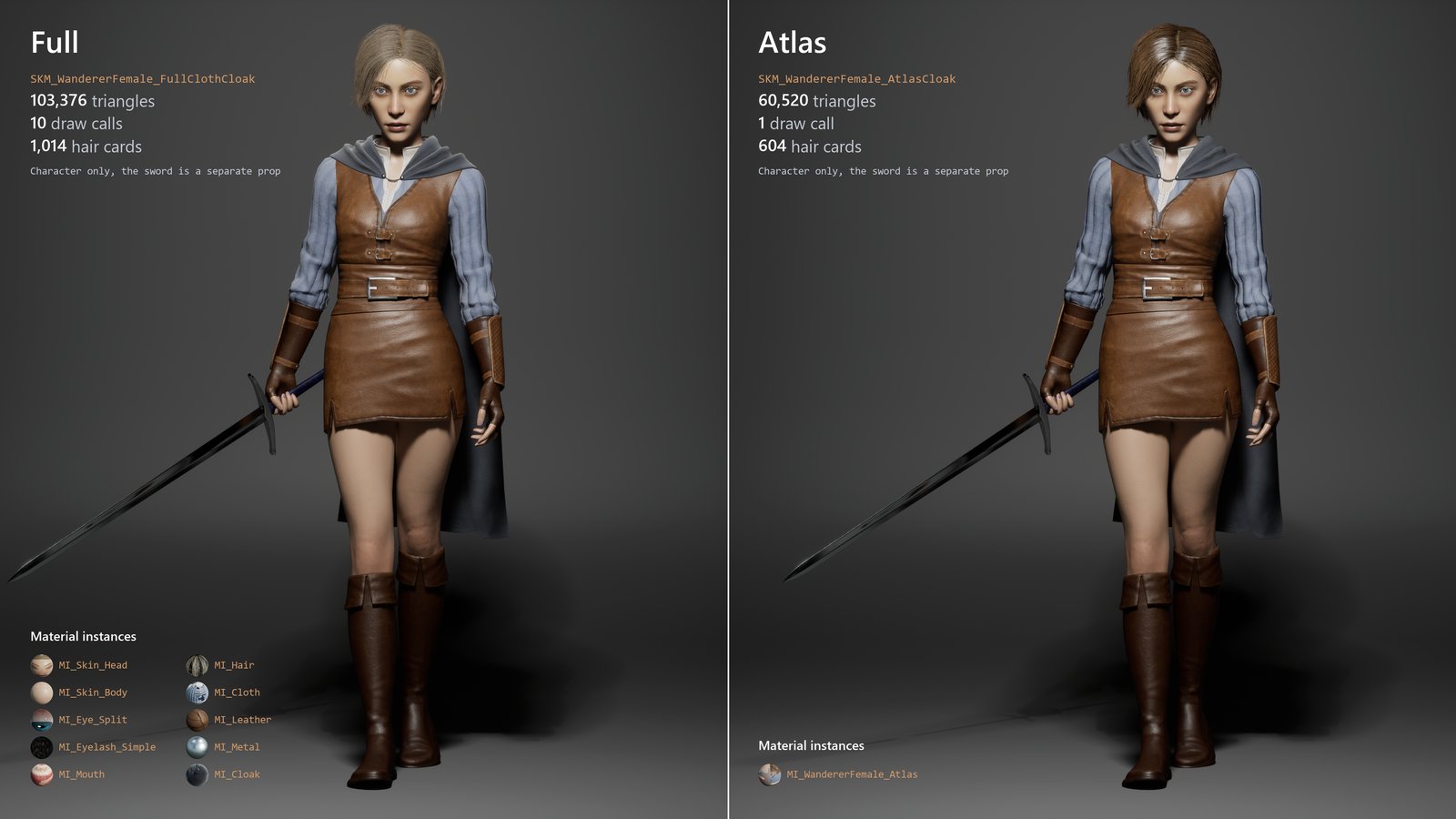
| Atlas | SKM_WandererFemale_Atlas / SKM_WandererFemale_AtlasCloak: one mesh, one texture set, one material, with the low hair. Crowds, background characters, lower-end devices. | 56,680 60,520 | 1 |
Triangles are the character only (outfit 1 for the clothed versions; the sword is a separate mesh). Draw calls are counted per material slot on each mesh. Every slot casts shadows, so each shadow-casting light draws the same number again.
The hair is the biggest part: SK_WandererFemale_HairCards has 1,014 cards (51,832 triangles), about half of the character. The atlas versions use a low version of it: 604 cards (10,872 triangles).
Shoulder correctives and many characters
The shoulder correctives (see Animation & face) run on the CPU for every visible character. With 22 characters on screen in WandererFemalePreviewMap, we measured a frame at 118 ms with them and 36 ms with CR_WandererFemale_Procedural_BeforeHelpers. For crowds and background characters, switch to that rig; keep the correctives for the characters seen up close.
Requirements
- Unreal Engine 5.1 or later.
- Plugins (on in this project): Control Rig (on by default in UE5); Live Link, Apple ARKit and ARKit Face Support for the live face.
- Extra bones beyond the UE5 Mannequin: 45 cloak bones, in 5 chains of 9: cloak_c, cloak_l1, cloak_l2, cloak_r1, cloak_r2 (each _01 to _09).